
Serial Terminal

A free, open-source COM port terminal for Windows. Readable output, HEX mode, and logging to a file while you keep monitoring. Made for working with STM32, Arduino, ESP32 and Modbus devices.
⬇ Download for Windows Source code on GitHub

v0.2.0 · Windows 10/11 x64 · single .exe, no installation · MIT license

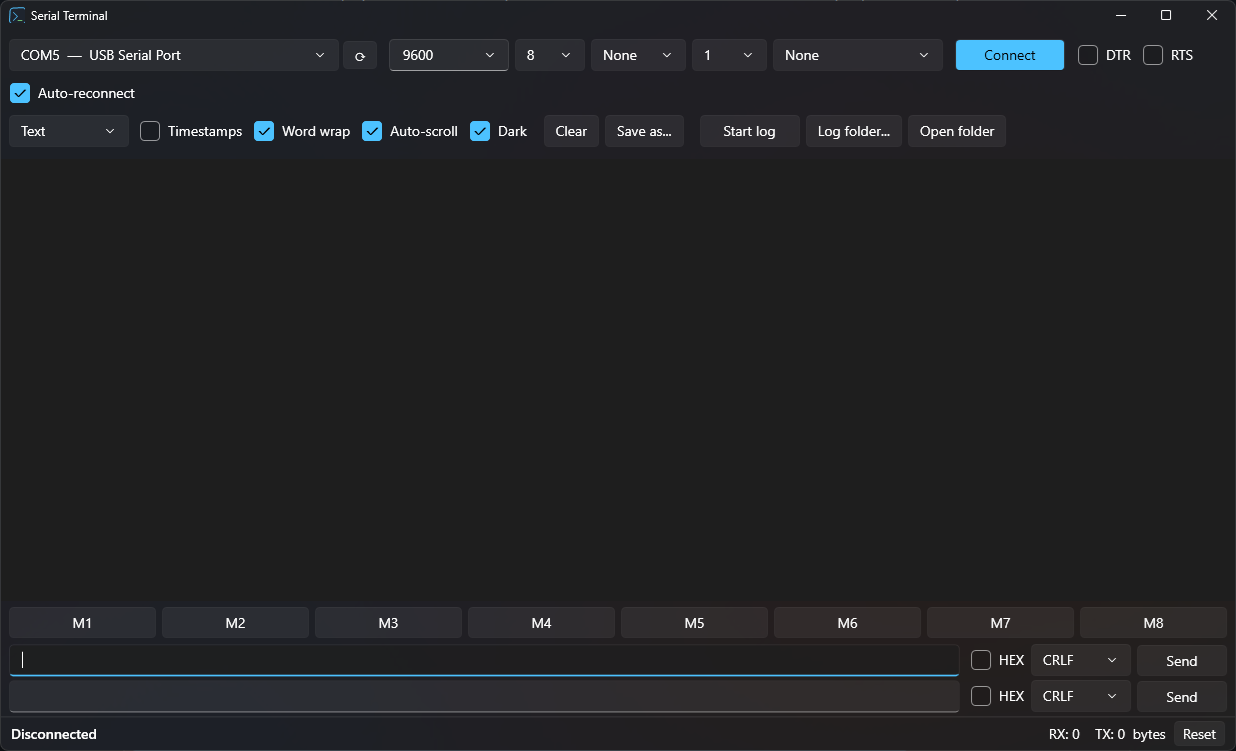
Serial Terminal main window: port settings, terminal output, macro buttons and two send lines

Features

Readable display

  • No line-length limit, optional word wrap
  • Large monospace font, Ctrl + wheel zoom
  • Dark and light themes
  • Separate colors for RX, TX, info and errors
  • Timestamps with millisecond precision

Text, HEX and Modbus RTU

  • Text, HEX and HEX + ASCII modes
  • Modbus RTU frames decoded, with CRC check
  • Automatic CRC16 when sending HEX
  • Control characters shown as ␀ ␛ …
  • Buffer of 100,000 lines

Highlight and filter

  • Keywords color whole lines, for example errors in red
  • Filter shows only matching lines
  • Rules apply to all tabs instantly

Tabs and live graph

  • Several ports open at once, one per tab
  • Live graph of numbers from received lines
  • Auto or manual Y scale, 0 axis always visible if you want

Logging

  • Log to a file while monitoring
  • Automatic file names per port and time
  • Save everything on screen with one click

Connection

  • Port list with device names, updated live
  • Any baud rate, parity, stop bits, flow control
  • Manual DTR / RTS control
  • Auto-reconnect after reset or unplug

Sending

  • Two independent send lines
  • Text or HEX, line ending: None, CR, LF or CRLF
  • Periodic sending (Repeat) for polling
  • Send a file with a progress bar
  • 8 configurable macro buttons

Free and open

  • No ads, no trial, no registration
  • MIT license: use it anywhere
  • Settings saved automatically

Keyword highlighting

Few serial terminals can do this. You set keywords and colors once, and every line that contains a keyword stands out right away. You no longer need to search through thousands of lines for an error.
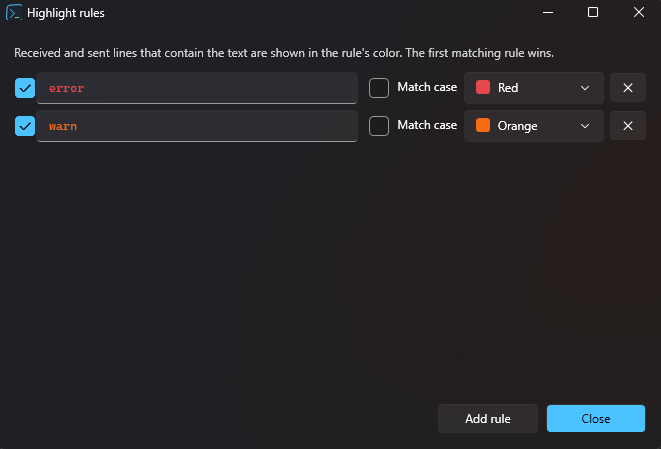
Highlight rules window: the keyword error shown in red, warn in orange, each with a Match case option

Getting started

  1. Download SerialTerminal.exe (~62 MB). Release notes and older versions are on the Releases page.
  2. Run it. You don't need to install it or .NET. If Windows SmartScreen warns about an unknown publisher, click More info → Run anyway.
  3. Select the port and baud rate, then click Connect.

You can also build it from source with the .NET 10 SDK:

git clone https://github.com/kod47/serial-terminal.git
cd serial-terminal
dotnet run